WindowsCaptions
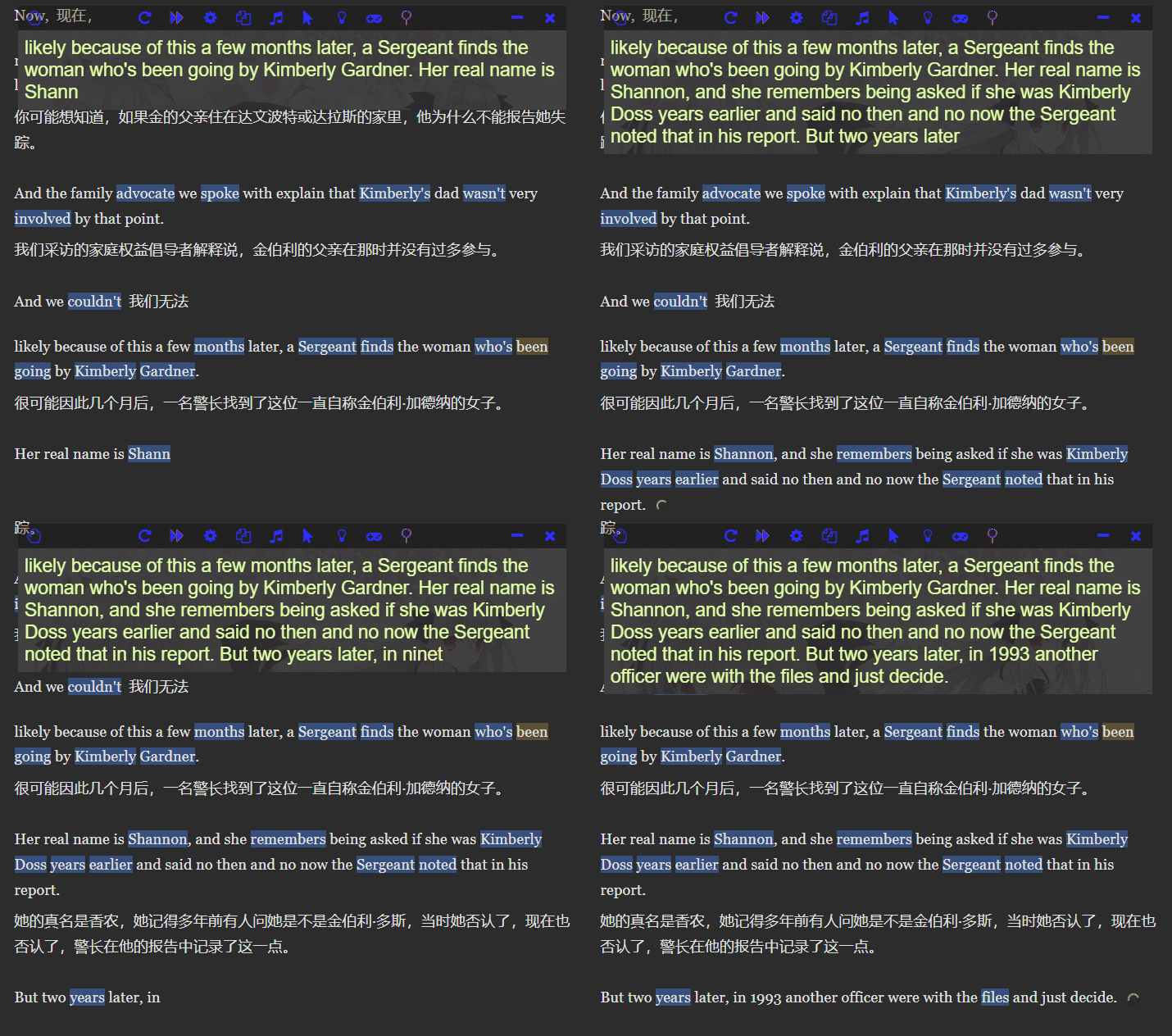
Cache Luna's speech recognition results on a webpage, shareable, with word highlighting using Lingkuma, and translation using Immersive Translate.
Demo
Usage Steps
Download and Install LunaTranslator
https://docs.lunatranslator.org/zh/README.html
Get the Python Script
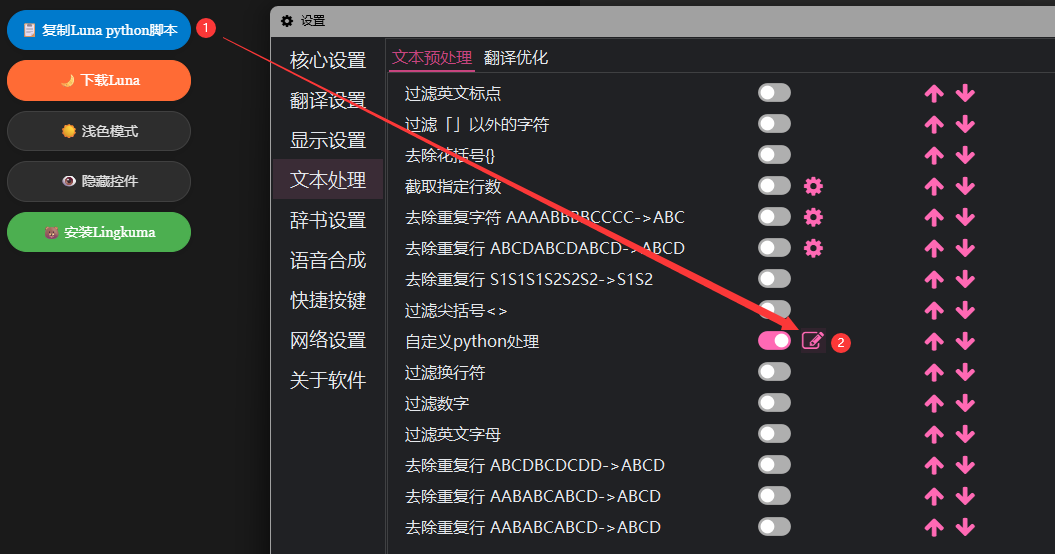
Copy the Python script and paste it into Luna as shown in the image, then start Python processing.
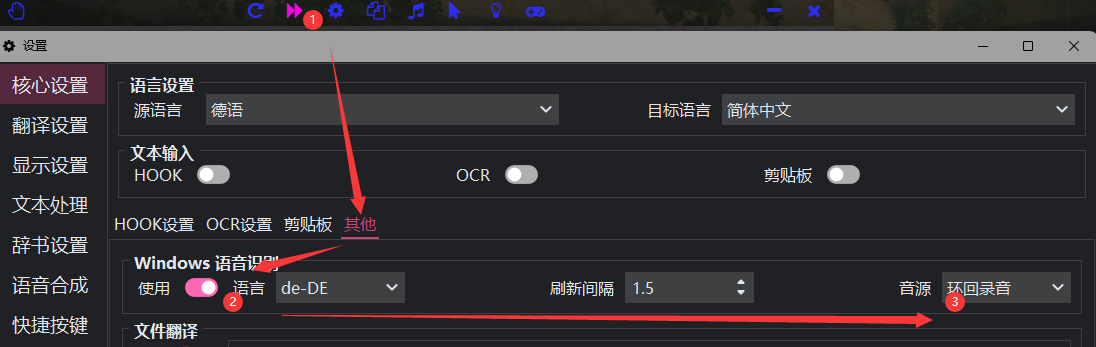
After pasting and starting the Python script, go to Core Settings - Others - Windows Speech Recognition. Select the corresponding language. If the language you need to recognize does not appear in the options, please install the corresponding language in your system, or find the corresponding language's recognition model and decompress it into the software directory. ¹
Then click the red mark 1 to start Luna.
Continue to visit LiveCaptionsPicker - LunaTranslator to view the cached captions.